
Best Ergonomic Active Sitting Chairs for Home Offices (2026 Review)
Ditch slumping and lower back stiffness. We tested the top balance ball chairs, kneeling chairs, and wobble stools designed for active home-office ergonomics.
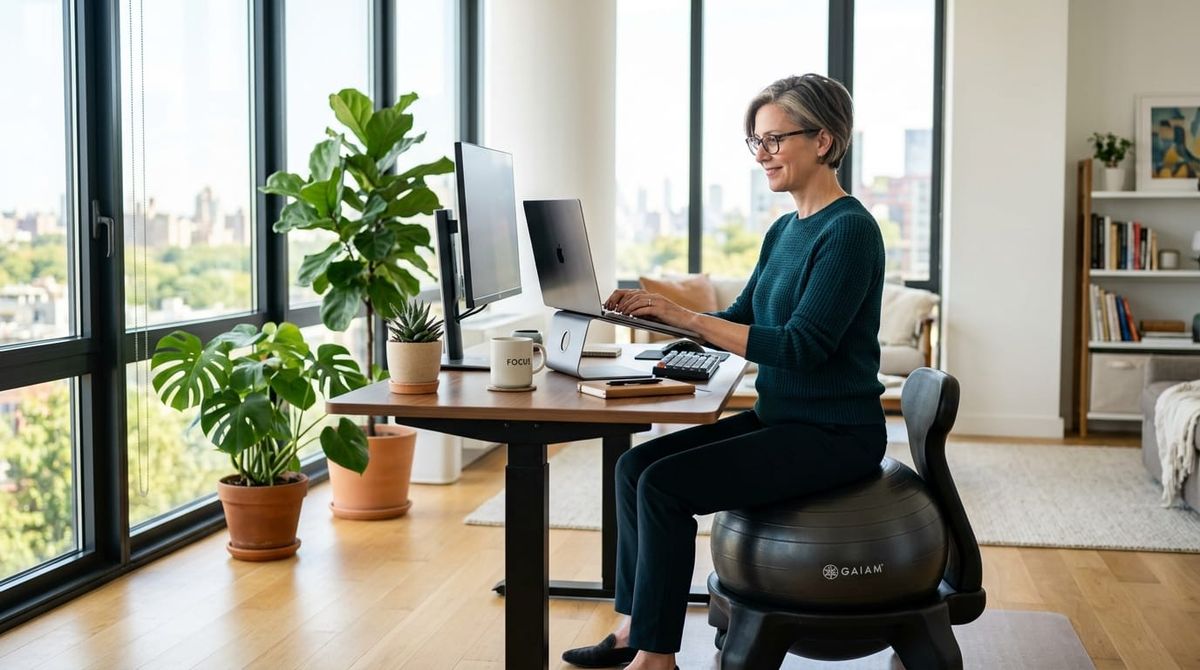
Sitting flat in a traditional desk chair for 8+ hours a day leads to hip flexor tightness, glute amnesia, and lower back strain. While lumbar cushions help, active sitting devices keep your core subtly engaged and encourage natural spinal alignment throughout your workday.
Whether you want to alternate between standing and active sitting or need an FSA/HSA-eligible desk chair upgrade, here are the 4 top-rated active seating options for 2026.
At a Glance: Top Active Sitting Chairs
| Model | Form Factor | Weight Capacity | Adjustability | Primary US Market Fit |
| Gaiam Classic Balance Ball Chair | Stability Ball + Base | 300 lbs | Removable Ball / Lockable Wheels | Best Overall / FSA/HSA Eligible |
| Dragonn Kneeling Chair | Angled Knee Rest | 250 lbs | Height Adjustable (21"–31") | Best for Lower Back & Posture Alignment |
| Vari Active Seat (Wobble Stool) | Dynamic Motion Stool | 250 lbs | Gas Lift (23"–32" Height) | Best for Standing Desk Transitions |
| Trideer Inflatable Exercise Ball Chair | Ring Base + Resistance | 300+ lbs | Non-Slip Surface | Best Budget Pick ($30–$45) |
Detailed Reviews: Top 4 Active Sitting Options
Gaiam Classic Balance Ball Chair — Best Overall for Daily Desk Work
The Gaiam Classic remains the most recognizable stability chair in the US office market. Developed alongside ergonomic pioneers, it pairs a 52cm anti-burst exercise ball with an adjustable wheeled frame.
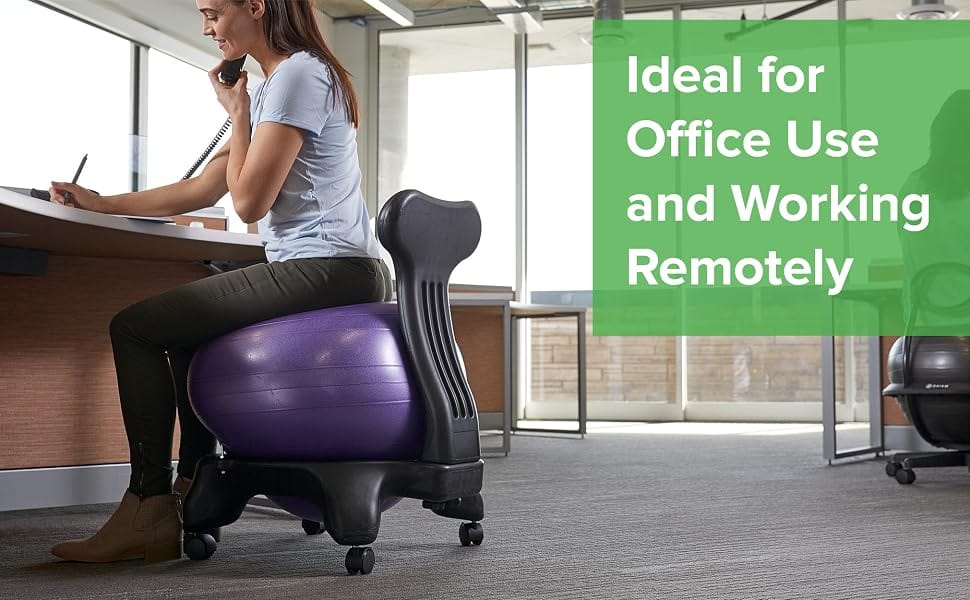
- Core Engagement: The subtle instability forces your deep core muscles ($transverse\ abdominis$) to make micro-adjustments, preventing stiffness.
- US Workplace Compatibility: Fits standard 29-inch fixed-height desks as well as adjustable standing desk setups.
- FSA/HSA Eligible: Qualified under US health spending accounts when prescribed for postural therapy or lumbar support.
Dragonn Ergonomic Kneeling Chair — Best for Lumbar & Tailbone Pressure Relief
If traditional chairs place uncomfortable pressure on your coccyx or tailbone, an angled kneeling chair shifts your body weight forward, distributing load between your shins and buttocks.
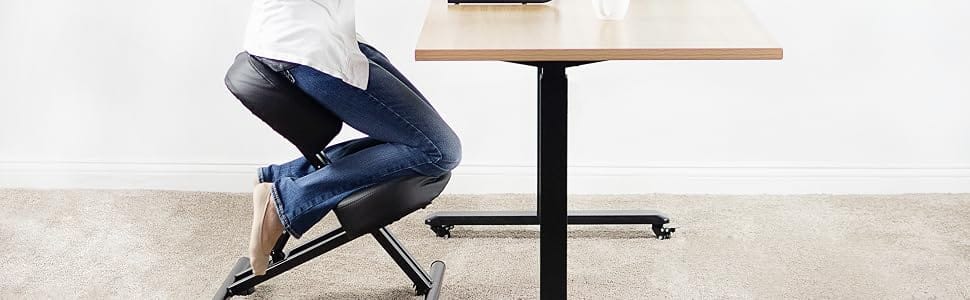
- Posture Reset: Holds your hips at an open 110-degree angle, automatically preventing you from hunching toward your computer screen.
- Cushion Density: Features 3-inch thick high-density foam pads that maintain support during 90-minute focused work blocks.
Vari Active Seat — Best Dynamic Wobble Stool for Standing Desks
Designed by Vari (creators of the popular VariDesk standing desk converters), this weighted-base stool lets you lean, perch, and pivot smoothly between standing and sitting modes.
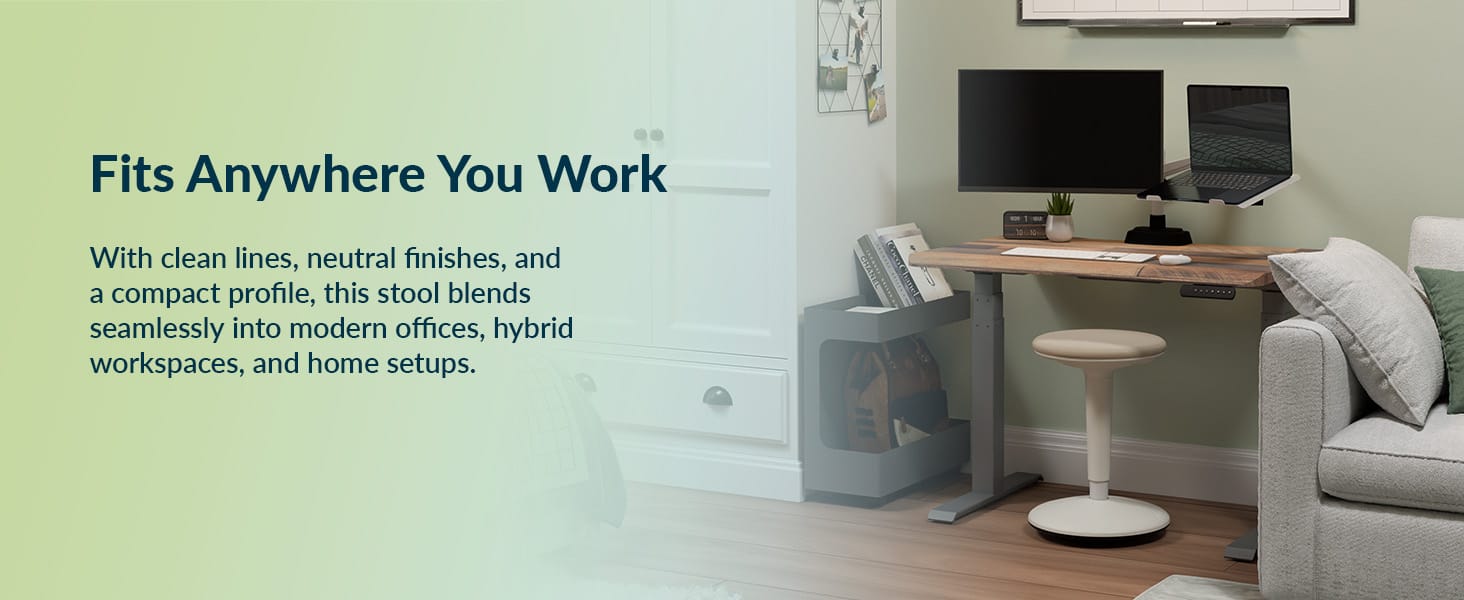
- Standing Desk Synergy: Pneumatic gas lift adjusts from 23 inches up to 32.75 inches, letting you perch without dropping your desk all the way down.
- Articulating Pedestal: Moves with your hips to keep leg muscles active and increase circulation throughout the afternoon.
Trideer Inflatable Exercise Ball Chair — Best Value Under $45
For remote workers who want active seating without committing to a full furniture unit, the Trideer Ball Chair provides an exercise ball paired with a low-profile stability ring.
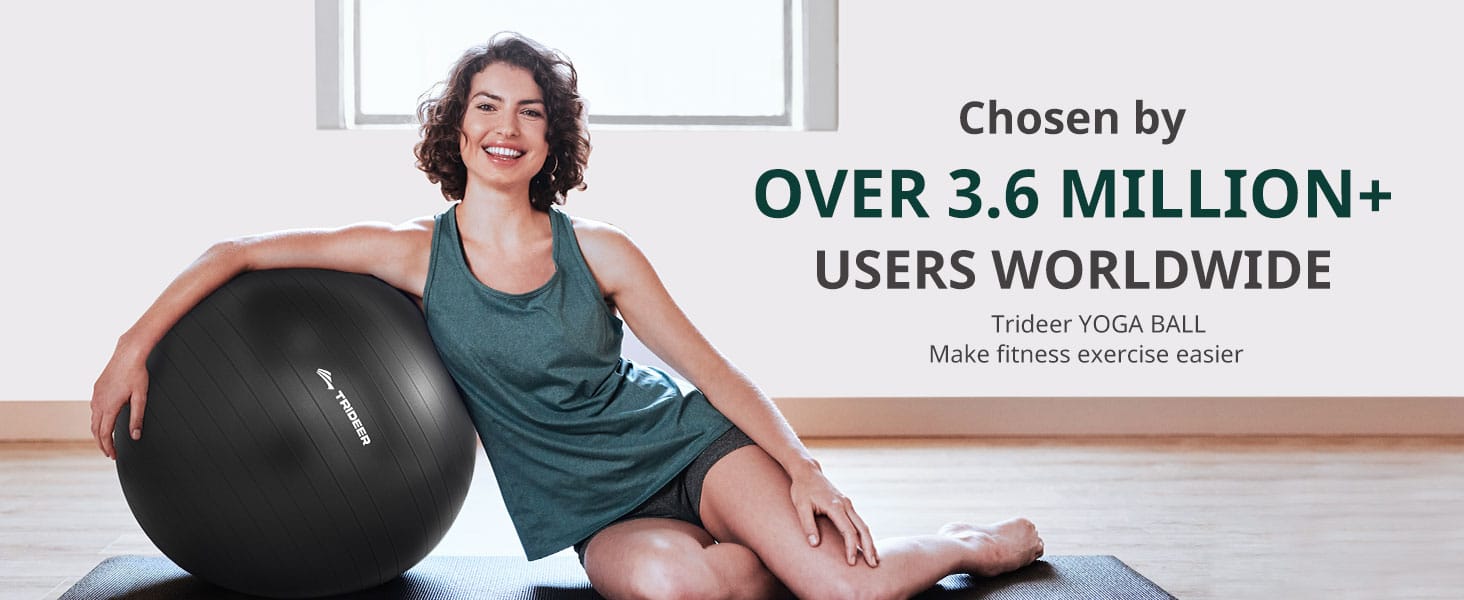
- Multi-Use Design: Remove the stability ring after work hours to use the heavy-duty ball for stretching, core training, or yoga.
- High Weight Rating: Rated up to 2,000 lbs anti-burst capacity, built from eco-friendly, hypoallergenic PVC.
📋 Buyer’s Checklist
How to Choose the Right Active Seating for Your Setup
Investing in active seating is one of the best moves you can make for your posture and lower back health. However, switching from a conventional office chair to dynamic seating requires matching the chair’s design to your desk height, work routine, and body mechanics.
1. Desk Height & Vertical Clearance
Not all active chairs fit standard fixed-height desks. Measure your desk setup before choosing your seating style:
- Standard Fixed Desks (28"–30" height): Balance Ball Chairs (like the Gaiam Classic) and Kneeling Chairs (like the Dragonn) are designed to slide cleanly under standard desktop heights.
- Adjustable Standing Desks (30"–42"+ height): Dynamic Wobble Stools (like the Vari Active Seat) require a high pneumatic lift range (23"–33") so you can easily transition between perching, leaning, and full standing modes.
2. Primary Ergonomic Goal (Target Area)
Select your seating based on the specific discomfort or postural habit you want to correct:
- For Slumping & Inactive Core: Choose a Balance Ball Chair. The subtle micro-instability engages your deep core muscles and keeps your lumbar curve naturally aligned.
- For Tailbone (Coccyx) & Sciatica Pain: Choose an Angled Kneeling Chair. By opening your hip angle to 110 degrees, it shifts your body weight onto your shins and pelvis, taking direct pressure off your tailbone.
- For Standing Desk Fatigue: Choose an Articulating Wobble Stool. Perfect for taking 30% to 50% of your body weight off your feet without dropping your desk back down to a sitting position.
3. Adjustment & Sizing Specs
To prevent joint strain, verify the weight capacity and height range against your body proportions:
Here is the updated table with height measurements clearly formatted in both inches and centimeters:
| Active Chair Type | Height Range (Imperial) | Height Range (Metric) | Weight Capacity | Adjustment Mechanism |
|---|---|---|---|---|
| Balance Ball Chairs | 60 to 71 inches | 152 to 180 cm | 300 lbs (136 kg) | Inflation level or Leg extenders |
| Ergonomic Kneeling Chairs | 62 to 74 inches | 157 to 188 cm | 250 lbs (113 kg) | Pneumatic or manual dial height |
| Dynamic Motion Stools | 60 to 76 inches | 152 to 193 cm | 300 lbs (136 kg) | One-touch gas lift lever |
4. Transition & Core Endurance
If you are transitioning from a traditional high-back ergonomic chair, your core and stabilizer muscles need time to adapt:
- The 30-Minute Rule: Start by using your active chair in 30- to 60-minute blocks, 2 to 3 times per day.
- Dual-Chair Setup: Keep your standard ergonomic chair nearby for long, deep-focus writing blocks until your postural muscles build endurance over 2 to 3 weeks.
5. FSA / HSA Spending Account Eligibility
Many active sitting chairs and posture correctors qualify for reimbursement through Flexible Spending Accounts (FSA) or Health Savings Accounts (HSA).
Frequently Asked Questions
Q: Are balance ball chairs good to sit on all day?
Answer: Balance ball chairs can be a useful alternative to a traditional office chair, but they are generally not ideal for sitting on all day. They work best when used as part of a varied sitting routine rather than as a complete replacement for an ergonomic office chair.
The main benefit of a balance ball chair is that it encourages you to engage your core and stabilising muscles while sitting. Because the surface is less stable than a conventional chair, you may naturally change your posture and move more frequently. Some people also find that the movement helps them stay comfortable and focused during shorter periods of desk work.
However, sitting on a balance ball for several hours continuously can have drawbacks. The lack of proper back support can lead to fatigue in your back and core muscles, particularly if you are already prone to poor posture. As you become tired, you may start slouching or leaning forward, which can defeat the purpose of using the ball in the first place.
,
There isn't a universal time limit that works for everyone, but a sensible approach is to start with short periods of 20–30 minutes and gradually increase the duration if you remain comfortable. Rather than sitting on the ball for an entire workday, alternate between it, an ergonomic office chair, standing, and short movement breaks.
Are balance ball chairs good for your posture?
They can encourage more active sitting, but a balance ball isn't automatically better for posture. Proper desk height, monitor positioning, foot support, and your sitting position still matter. A good ergonomic chair provides adjustable lumbar and back support that a ball generally cannot.
The best approach
Think of a balance ball as a supplementary seating option rather than your primary office chair. For example, you might use an ergonomic chair for focused computer work, switch to a balance ball for 20–30 minutes, and take regular standing or walking breaks throughout the day.
Bottom line: Balance ball chairs can be beneficial for introducing movement and variety into your day, but sitting on one continuously all day isn't necessarily better—and may become uncomfortable or fatiguing. The healthiest desk setup is usually one that allows you to change positions regularly rather than staying in any single position for hours.
Q: Do kneeling chairs hurt your knees?
Answer: Kneeling chairs can feel uncomfortable at first, but they shouldn't cause significant knee pain when properly designed, adjusted, and used correctly. The key is understanding that a kneeling chair changes your sitting position rather than simply providing another type of chair.
A traditional chair keeps your knees at roughly a 90-degree angle, while a kneeling chair places your knees on a padded support and positions your hips slightly higher than your knees. This opens the angle between your torso and thighs and can encourage a more upright posture.
Why can kneeling chairs hurt your knees?
Some people experience knee discomfort when they first start using a kneeling chair. Common reasons include:
- Too much pressure on the knees or shins: Poorly padded supports can create uncomfortable pressure points.
- Incorrect positioning: If the chair is too high, too low, or has an inappropriate angle, your weight may be distributed poorly.
- Using it for too long: Kneeling chairs are generally better used as part of a varied sitting routine rather than for uninterrupted hours.
- Poor-quality cushioning: Thin or firm knee pads can become uncomfortable over time.
- Existing knee sensitivity: People with pre-existing knee problems may find the kneeling position less comfortable.
Are kneeling chairs actually good for your knees?
For many healthy adults, a well-designed kneeling chair can be comfortable when used appropriately. However, it isn't necessarily "better" for everyone's knees.
One potential advantage is that a properly adjusted kneeling chair can distribute some of your body weight between your pelvis, feet, and shin/knee supports rather than placing all the load through your sitting bones. It can also encourage a more open hip angle and upright sitting position.
However, comfort is highly individual. If you experience persistent or increasing knee pain, numbness, tingling, or circulation problems, it's a good idea to stop using the chair and consider getting professional advice.
How to use a kneeling chair without hurting your knees
If you're trying one for the first time, start gradually. Try 15–30 minutes at a time and alternate between the kneeling chair and your normal chair. Make sure the knee/shin pads are adequately cushioned and that your hips are positioned slightly higher than your knees.
You should also avoid putting all your weight directly onto your knees. A good kneeling chair should support your body through multiple contact points rather than making your knees carry the load.
Kneeling chairs don't inherently hurt your knees, but the wrong chair, poor adjustment, inadequate cushioning, or prolonged use can make them uncomfortable. The best approach is to treat a kneeling chair as one option in an ergonomic sitting setup rather than as a chair you must use all day.
If you're considering buying one, look for thick, supportive cushioning, adjustable positioning,, and a design that distributes weight comfortably across your hips, shins and feet. Most importantly, listen to your body—mild unfamiliar pressure may improve as you adapt, but persistent pain shouldn't be ignored.